Curabrein Get the app
EN NL FR
For days that go up and down

Some days you manage. Other days you don’t.

You note down how a day went, in a few taps. At an appointment that lets you show what the weeks were really like instead of having to explain it.

Android · in English, Dutch and French

  • Nothing is requiredSkipping a day is fine.
  • It cannot send anythingNo internet permission.
  • One paymentNo subscription, ever.
What it does

Four places, and that is the whole app.

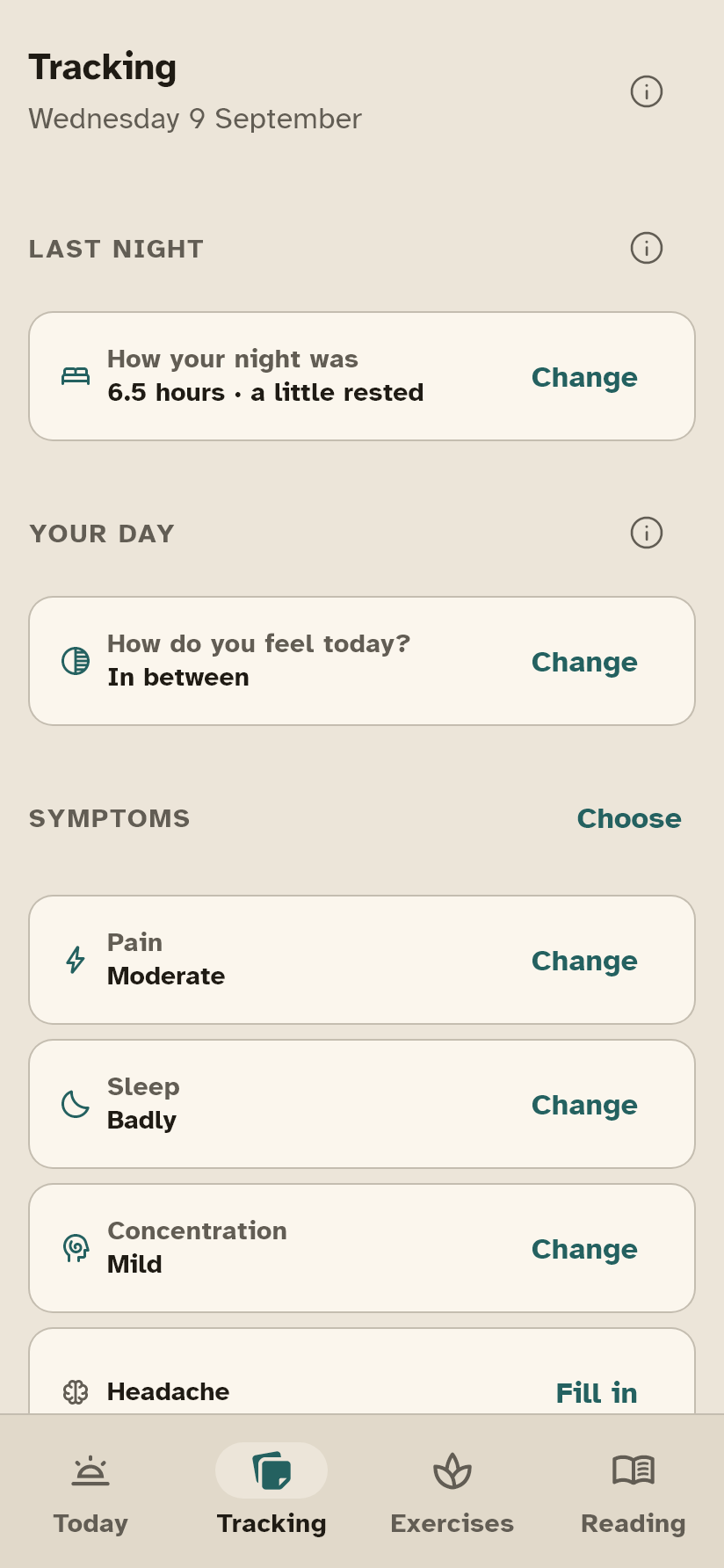
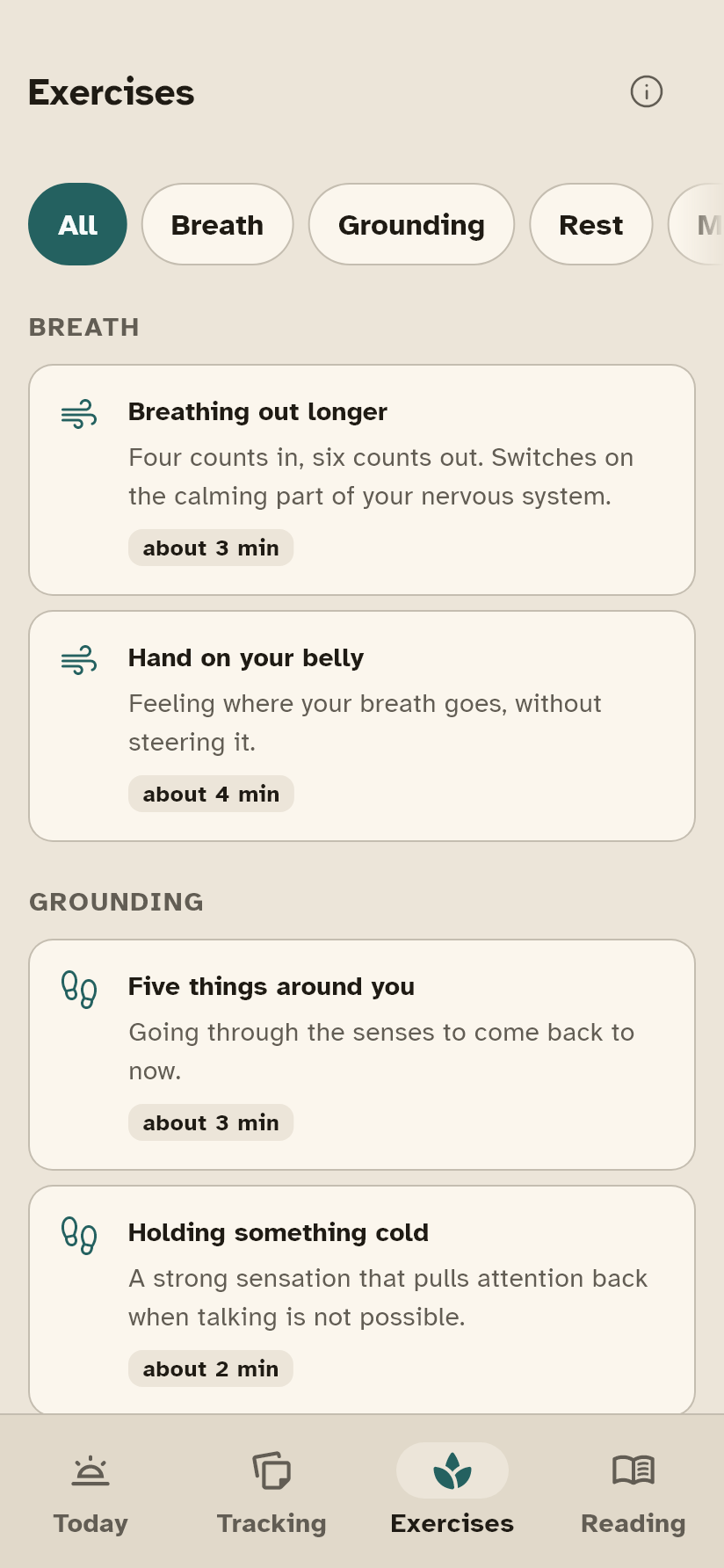
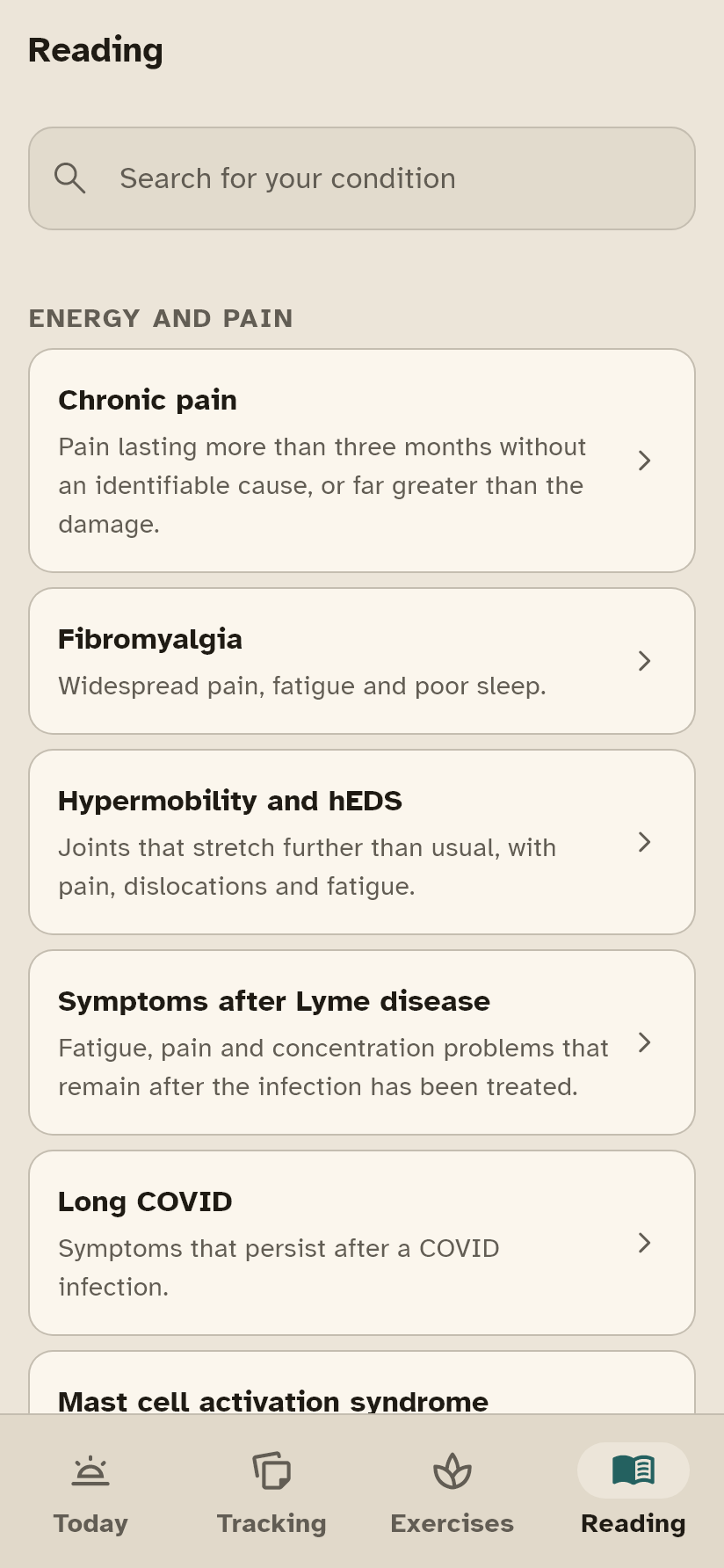
The Tracking screen. The Exercises screen. The Reading screen.
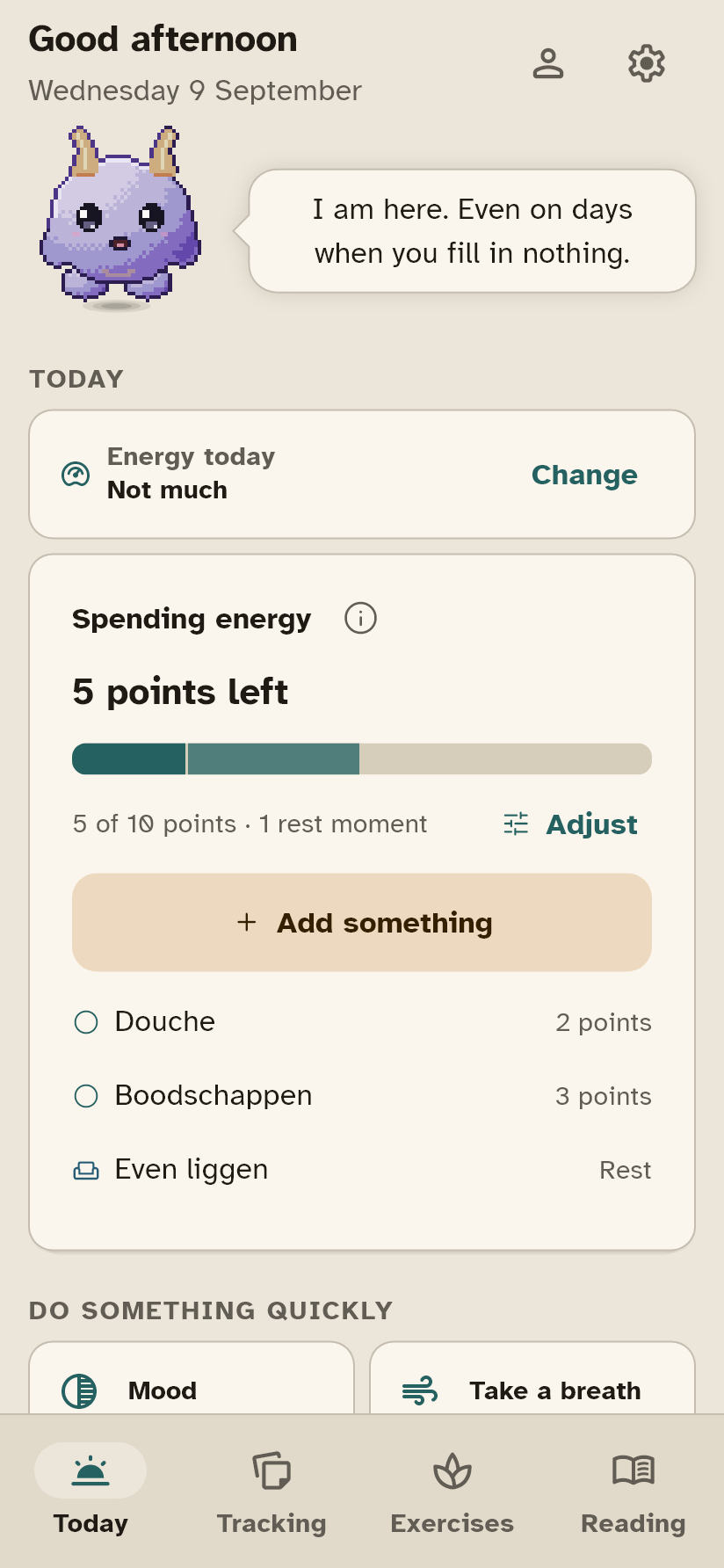
01 · TODAY

One question a day: how are you doing?

Five settings with a name, not a number, and one tap. On a bad day that is all the app asks of you.

  • Your energy as points you spend, if counting helps you
  • The four things you do most often, within reach
  • You arrange this screen yourself: drag, hide, put back
02 · TRACKING

You choose what you track.

Sixteen symptoms to pick from, your nights, your mood, your medication, and a body map to point at where it was. What you do not switch on appears nowhere.

  • Nothing is required and nothing has to be daily
  • A crash gets its own note, with what you suspect caused it
  • Every item explains what it is there for
03 · EXERCISES

Twenty exercises that never push you.

Breathing, grounding, rest, movement and thinking. The list is already filtered down to what is safe for your condition.

  • With ME/CFS nothing can appear that asks for real exertion
  • Nothing is counted and nothing is scored
  • Stopping halfway is offered, not punished
04 · READING

Eighty-four conditions, written for a bad day.

What it is, what often helps, what to watch out for, and what you can ask at your appointment. Short paragraphs, plain words, and the app reads them aloud if that is easier.

  • Every claim names its source, and you can open it yourself
  • Yours are at the top; the rest is one search away
Before the appointment

Four pages in this example, and the first one is the whole picture.

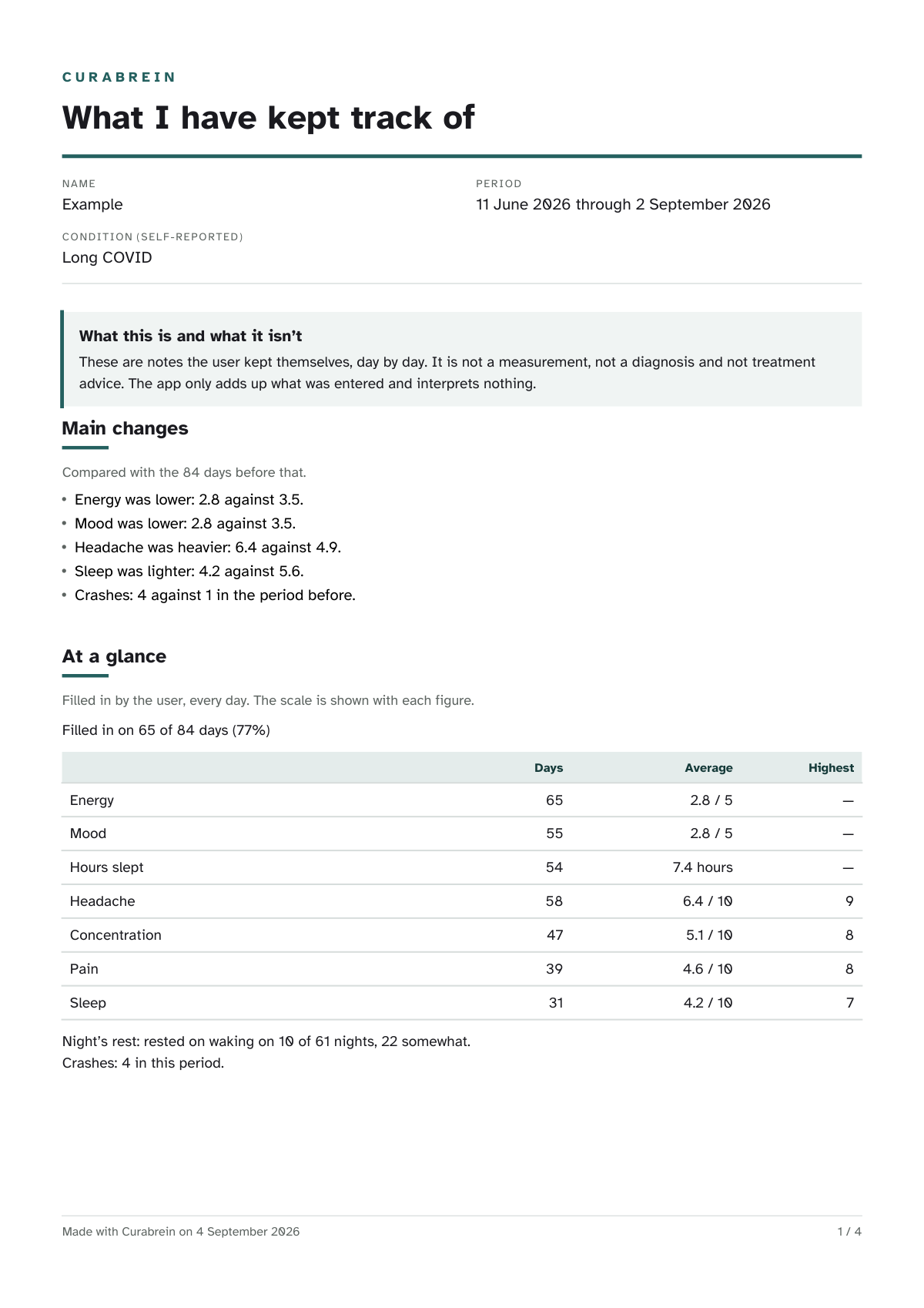
What a care provider would otherwise have to draw out of you is already on paper here. Page one reads in two minutes: how many days you filled in, what changed since last time, and your core numbers. Then come the questions you wrote down yourself, with a dotted line for the answer.

  • 01How many days you filled in, what changed since the previous period, and your core numbers: per item the days, the average and the highest.
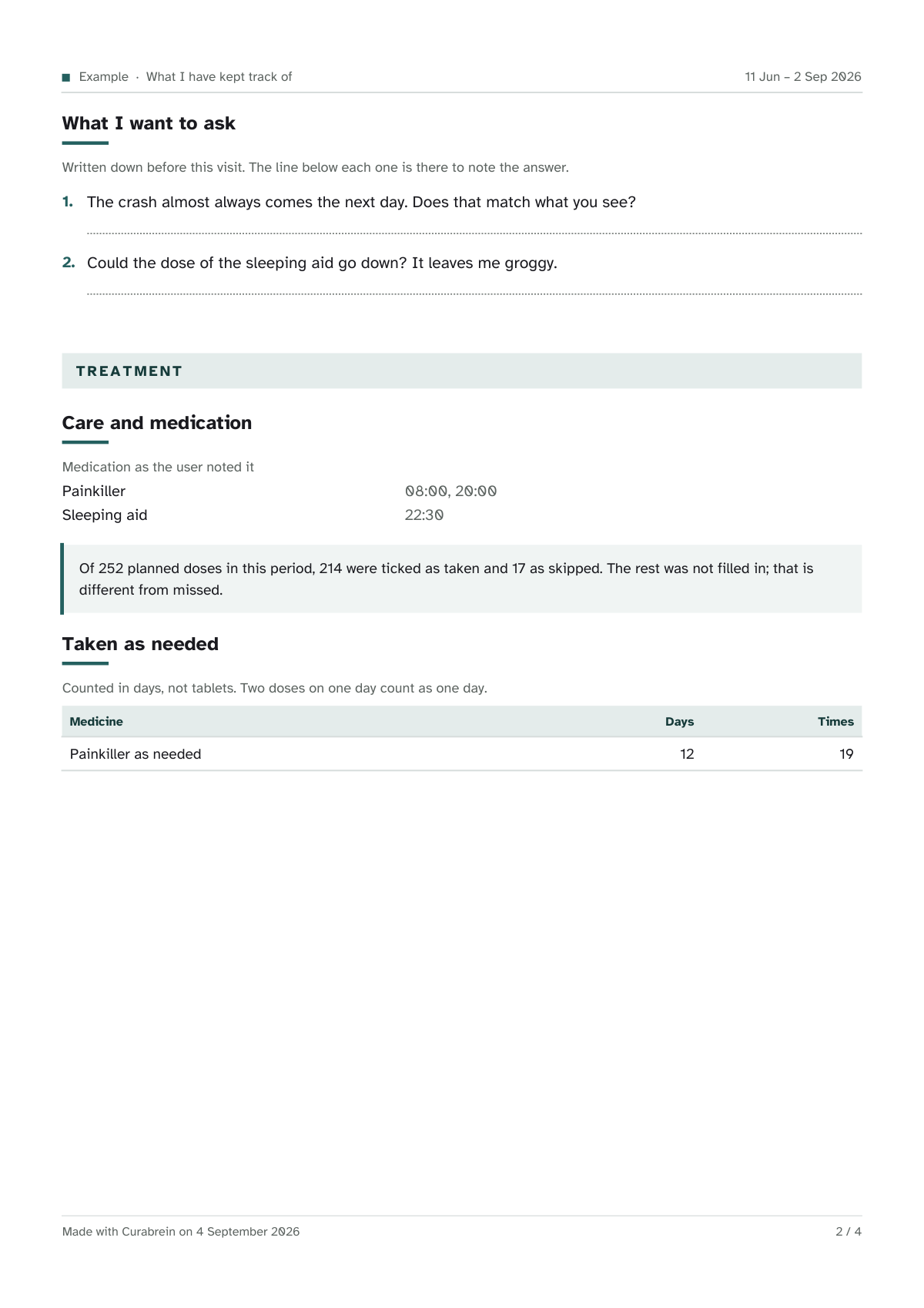
  • 02Your own questions with a dotted line for the answer, and your medication: what you take, how many doses you ticked off, and what you took as needed.
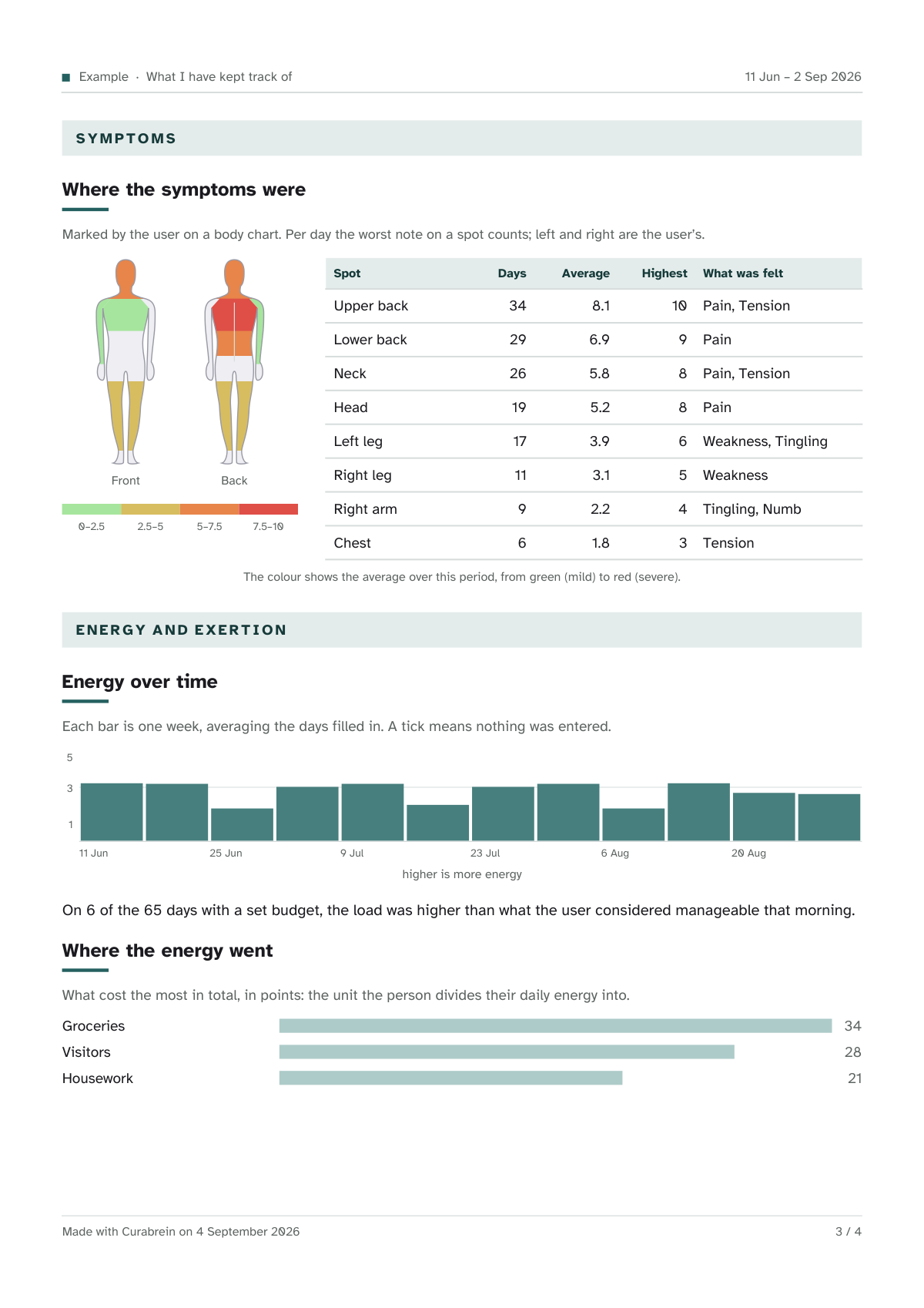
  • 03Where the symptoms sat on a body map, your energy with the dates underneath, and where the energy went.
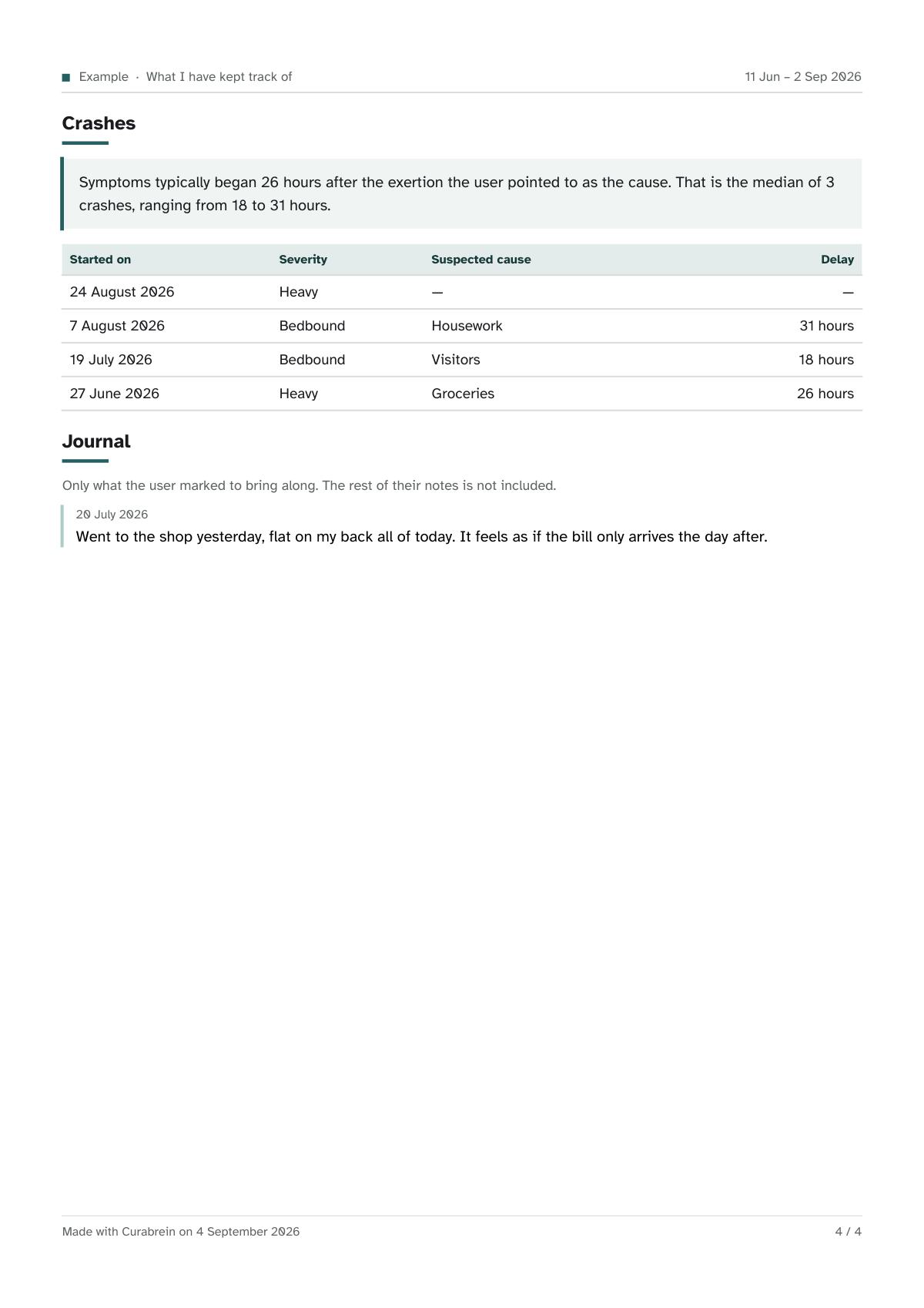
  • 04Your crashes with the delay worked out from your own notes, and the diary lines you chose to include.

You pick the period yourself: four weeks, twelve weeks or six months. At the top it says what it is and what it is not: notes, not a measurement.

Page one: name and period, what this is and what it is not, the most important changes, and the core summary in numbers. Page two: the questions for the appointment, and medication and whether it was taken. Page three: where the symptoms sat on the body map, the course of the energy, and where the energy went. Page four: the crashes with their delay, and a diary note.

The worked example that sits in the app. Print it, email it, or simply hand over your phone: to your GP, your psychologist, your physio, or whoever else supports you.

For the bad days

It does not let go of you when things go wrong.

This is what I made the app for, and it is there for the day you need it.

01

Help right now

The helplines for Belgium, the Netherlands, France and the United States, and above them your own people, who exist only inside Curabrein. Ready-made messages open your own messaging app, and you are the one who presses send.

02

When you cannot

A plan you write on a good day: what helps me, what I had better not do, what I say to other people. On a bad day all that is left is reading it.

03

This is how I am right now

You hand over your phone. It shows what you noted today and what helps you now, for the moments when you cannot say it yourself.

Your data

Everything stays on your own phone.
There is nowhere else for it to go.

What you write down belongs with you and nowhere else. So this is not a promise but a build decision: the app does not have the internet permission, so it cannot send anything. Android puts that on the store page itself, under Data safety, so you do not have to take my word for it.

  • No server, no accountNothing to create and nothing to remember. There is no place your data could go.
  • Encrypted on your own phoneWith a key that stays inside the Android Keystore. There can be a lock on the app itself, separate from your phone’s.
  • No analytics, no crash reportsNobody counts which screen you open or how long you stay. Me neither. If the app breaks somewhere, it writes that down on your own phone; it only travels if you attach it to a message yourself.
  • The typeface is bundledOtherwise it would be fetched at every start, and that server would know your IP address.
  • Take everything with you, or erase itOne file with all of it, with a password if you want one. Or gone in one go, after a single confirmation, with no backup left behind.
  • No ads, everAn ad network inside a health app means somebody is watching along. So there is not one.
Before you start

Questions you probably have.

Does it work if I do not have a diagnosis yet?

Yes, and that is exactly when tracking is worth the most. You can pick “no diagnosis yet”, or skip the condition entirely. The app works completely without one, and what you track is what you take to the next appointment.

How will I know how it works?

The first time, the app walks along with you: twelve short steps over the real screens, where you do the tapping. You can skip it, and start it again later from the settings. Beyond that, every screen explains itself behind an info sign, so the explanation is there when you need it and not in the way every day.

Do I have to fill something in every day?

No. Skipping a day is fine and nothing ever comes back to it. There is no streak to break and no screen that reminds you that you missed something. An empty day is a valid day.

Does the app work without internet?

It does not need internet and it cannot reach it either: the permission is missing. Everything happens on your phone. Only when you press share yourself, or tap a source, does anything leave it.

Can I take my data with me, or erase it?

Both, and they are simply in the settings. Taking it with you gives one file with everything in it, with a password if you want one. Erasing does exactly what it says, after a single confirmation, and there is no backup left behind anywhere.

Is this a medical device?

No. Curabrein does not diagnose and does not give treatment advice. It keeps what you fill in and adds it up. What that means is a conversation between you and whoever supports you, and it says so at the top of the overview you take with you.

Why does it cost money?

Because an app that earns nothing stops being maintained one day, and then it goes quiet on the phone of someone who was counting on it. Most of it goes into the writing: the condition pages were looked up, written and checked one by one, and they have to stay current.

Will there be an iPhone version?

Maybe. Right now there is Android. I do not promise a date I cannot keep.

Some days you manage. Other days you don’t.

Both of them count. From now on you do not have to remember them.