Your day
A few taps, and only the ones you asked for.
Five energy levels, one tap. That is the whole daily minimum, and on a bad day it is all the app will ask of you.
- Energy in pointsIf you count in points, set a budget for the day and log what things cost you. The app keeps a running total, so you see the edge coming while you can still do something about it.
- A day without symptoms is still a dayFor every symptom you follow you can tap “None”, and that counts as filled in. A gap in a record reads as neglect, and a good day is information too.
- You arrange this screen yourselfDrag the blocks into the order that suits you, hide what you never use, and put it back when you change your mind.
Tracking
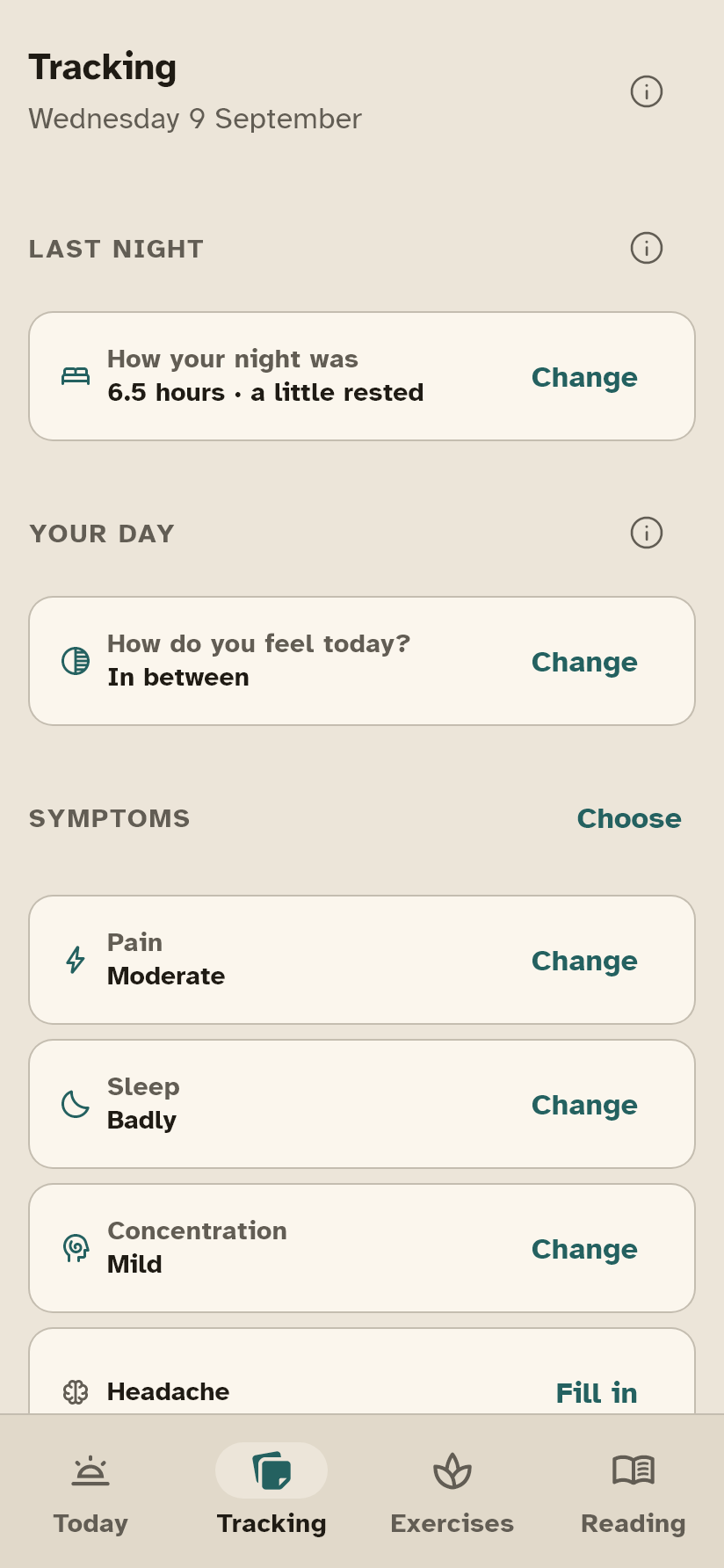
You choose what you track.
What you do not switch on appears nowhere. Nothing is required and nothing has to be daily.
- Sixteen symptoms, and you pickPain, sleep, concentration, headache, dizziness, nausea, breathlessness, stiffness, light and sound sensitivity, crowds, screens, palpitations, that flu-like feeling, stress and anxiety.
- A body mapTap where it sits, front and back, and say what it feels like: pain, tingling, numbness, tension, weakness, trembling, itching. Left and right are yours, not the screen’s.
- Sleep, honestlyHow long you slept and whether you woke up rested are two different questions, so the app asks them separately. With these conditions that difference is often the entire point.
- Mood and cycle, kept apartMood is on its own scale and is clearly not a screening questionnaire. If your symptoms follow your cycle, the app can put one against the other.
Crashes and patterns
Seeing what you cannot hold in your head.
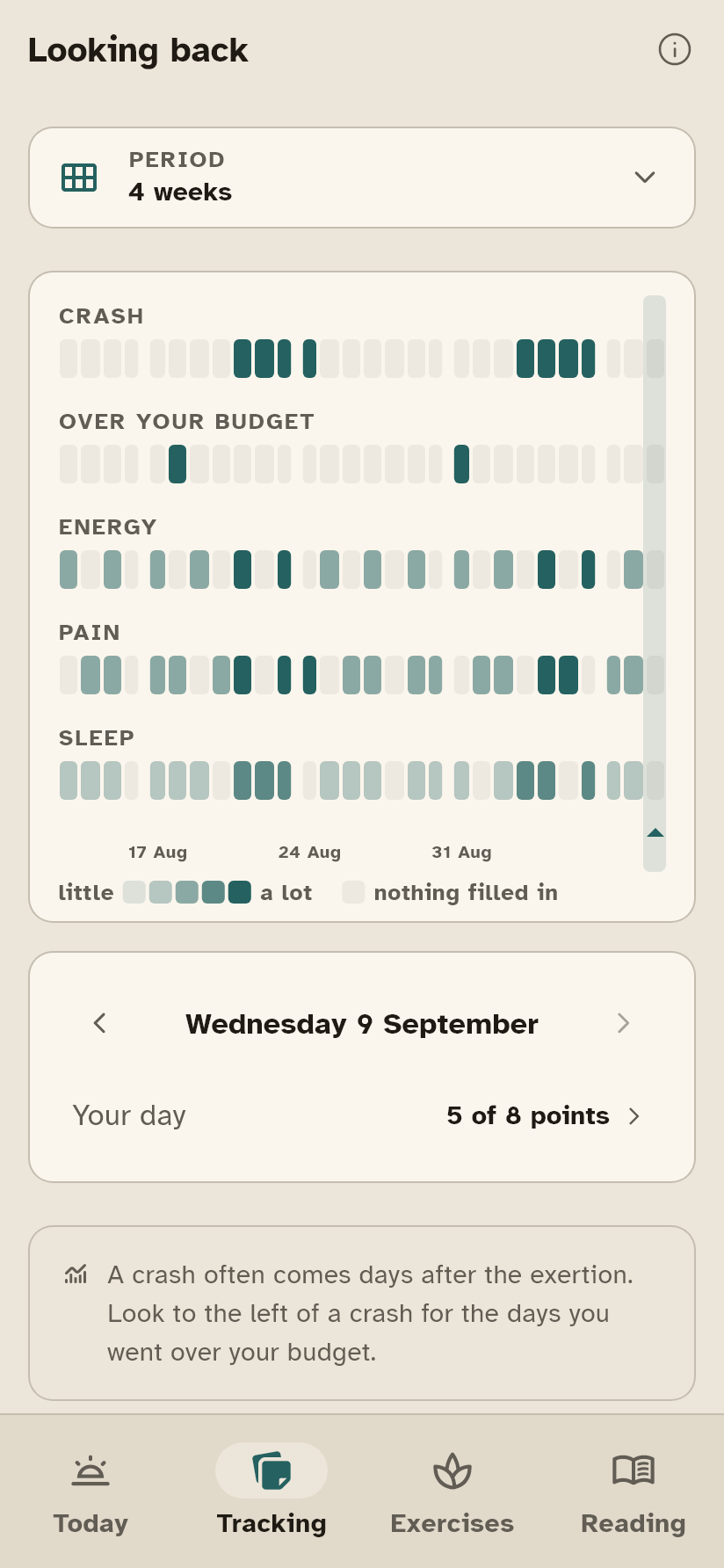
Every column is one day, oldest on the left. Each row is one thing you follow, and the darker a cell, the more there was of it. A run of dark cells in the crash row, with dark cells in “over your budget” a day or two to the left, is the pattern nobody can keep track of from memory.
- Your own delayA crash usually arrives twelve to forty-eight hours after the effort. The app works out the delay that is typical for you, but only once there are enough of them to mean something, and it says how many it used.
- Severity, duration, triggerOver the months this becomes the clearest page of your overview.
- A quiet signalIf it has been worse than your own average for a while, the app says so once, as a card. Not a notification, not a pop-up, and not a diagnosis.
Planning ahead
For the days you already know are coming.
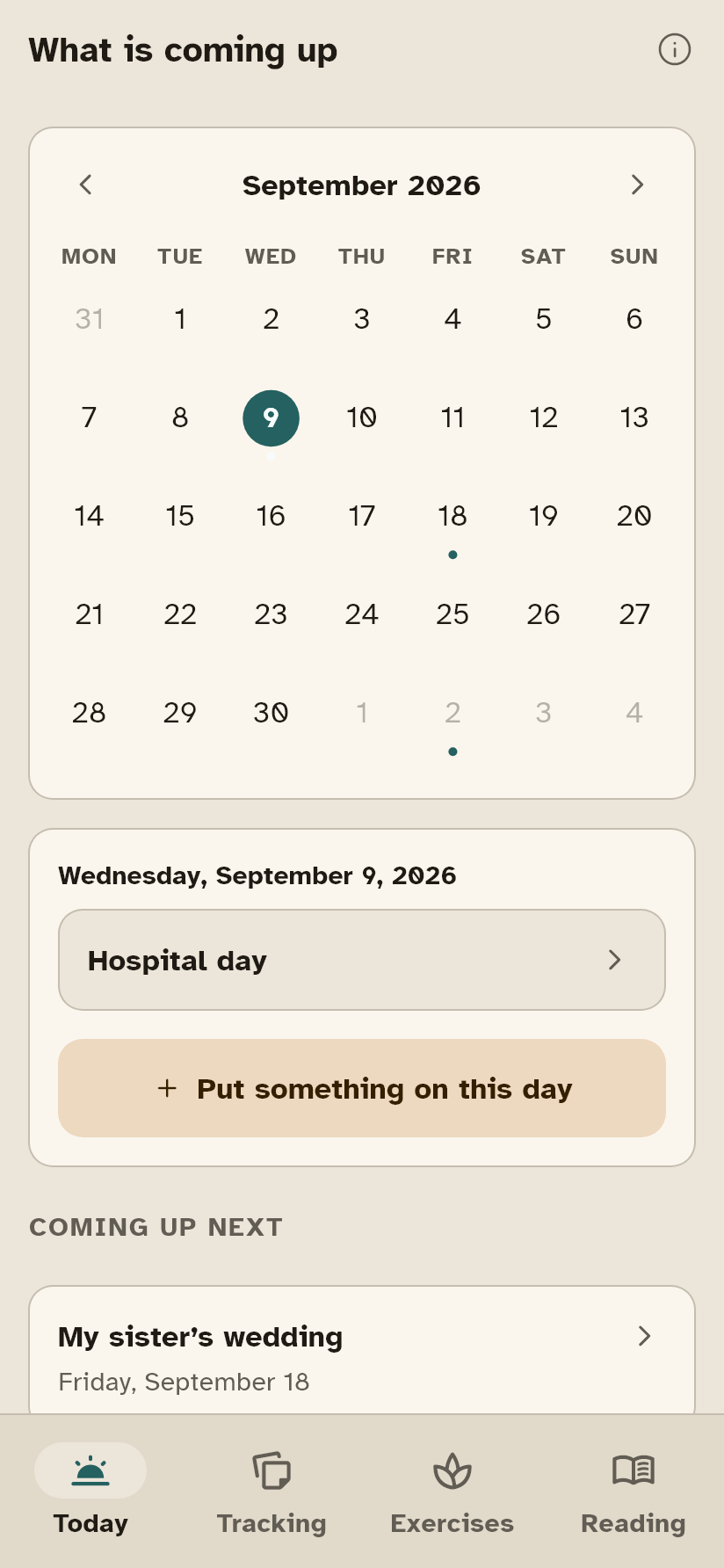
A wedding, a hospital appointment, a long journey. Put it in beforehand, and afterwards the app can tell you whether a crash followed, and how often that turns out to be true for you.
- A calendar, not a listOne month at a time, as far ahead as you like. Tap a day to put something on it or take it off; what is coming stands underneath, in order.
- Your crash plan, built from real sentencesYou put it together from sentences that people with these conditions actually use, and you choose which ones are yours. Not standard advice somebody filled in for you.
- Milestones that are not pats on the back“Four weeks recorded” says nothing. “From now on the overview can put this period next to the previous one” is a reason to keep going.
- The helplines for your own countryThirteen numbers for Belgium, the Netherlands, France and the United States, one tap from the home screen. If you live somewhere else it shows 112, and if your country is missing you can say so from inside the app.
Medication
What you take, and what happened after it changed.
With reminders, if you want them. Doses you tick off are counted; a dose you did not tick is recorded as “not filled in” rather than “missed”, because the app does not know which of the two it was.
- Before and after a changeWhen a dose changes, the app puts the four weeks before next to the four weeks after. It does not say whether the medicine works: it shows two periods and leaves the conclusion to you and whoever treats you.
- As needed, counted in daysDays, not tablets. Two doses on one day count as one day. That is the unit the guidance on medication-overuse headache is written in.
- Too recent to compareA change from last week gets no comparison at all, just a line saying it is too soon.
Twenty exercises
None of them asks you to push through.
Breathing, grounding, rest, movement and thinking. The list is filtered by the conditions you selected: if you have ME/CFS, nothing that asks for real exertion can appear anywhere. That rule is not a line in a document: there is a test that checks it.
- You choose your own rhythmA longer out-breath, even, square, or a shorter gentle one if four counts is already too long. The ring swells and settles on a real clock, with your companion alongside.
- Nothing is counted or scoredNothing congratulates you. Pause and skip are always on screen, and stopping halfway is offered rather than punished.
- You can switch motion offEvery animation stops if your phone says reduce motion.
The library
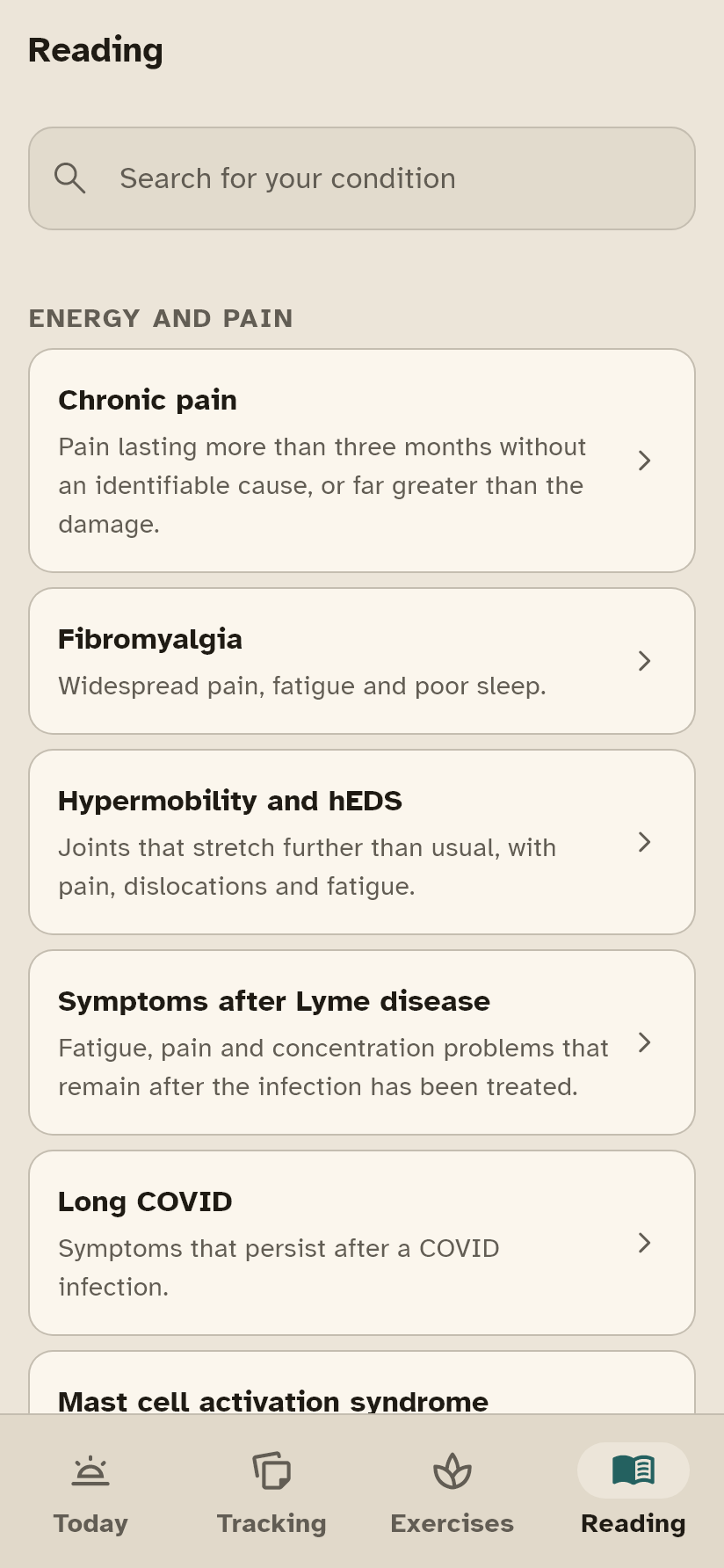
Eighty-four conditions, written to be read on a bad day.
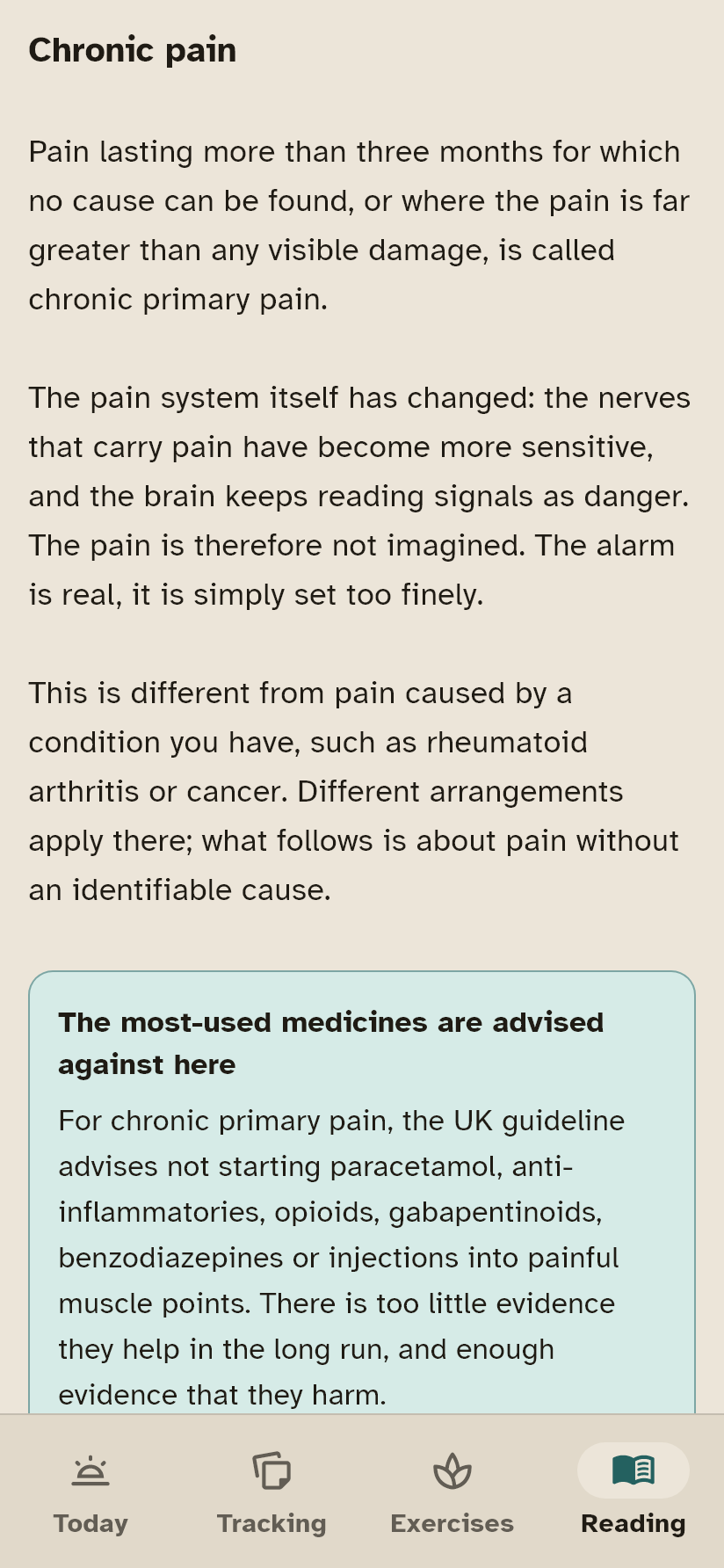
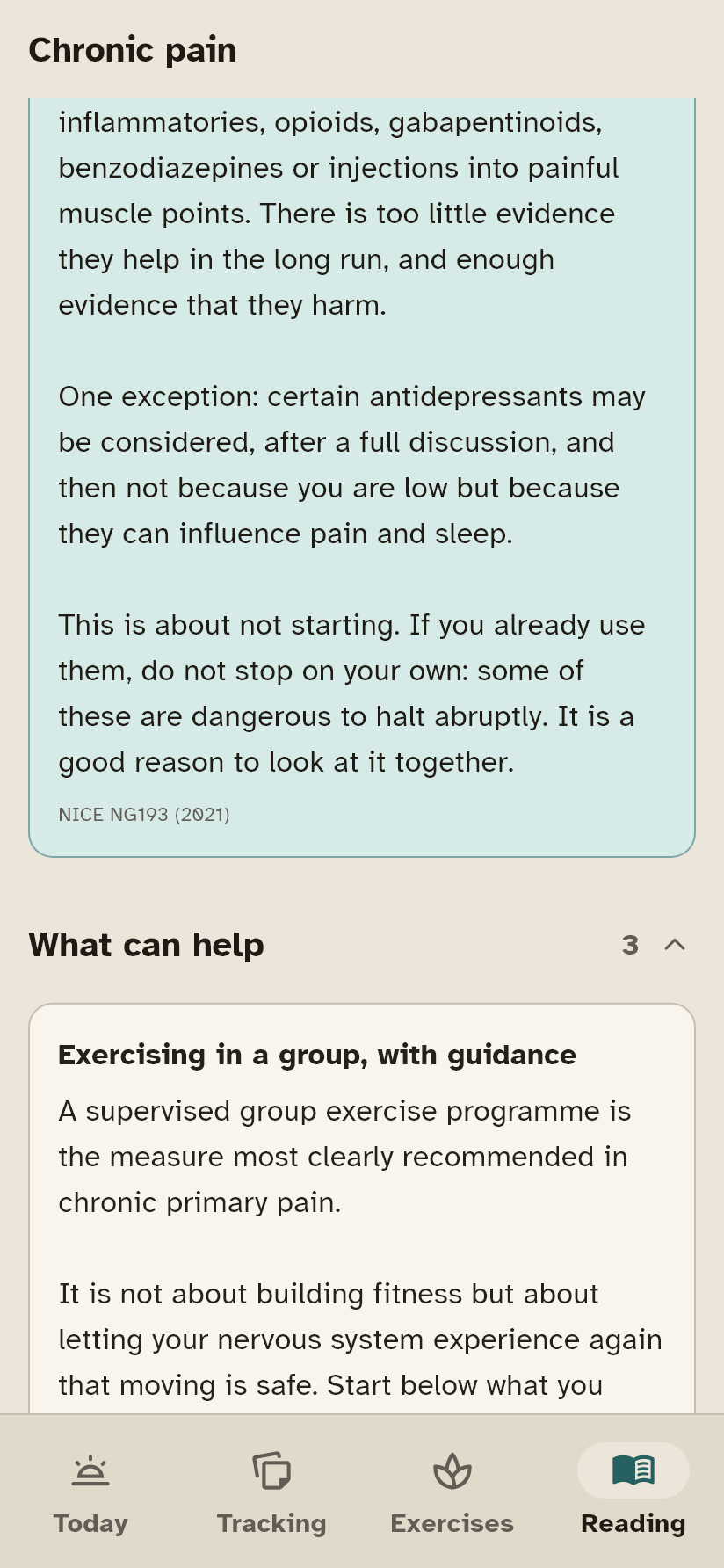
Every one says what it is, the single symptom you need to understand before the rest makes sense, what can help, what to be careful with, and the warning signs that mean you should call someone today rather than wait. Short paragraphs, plain words, no cheerfulness.
- Read aloud, with your place keptThe app reads a page to you with your device’s own voice and draws an outline around the part it is speaking, so you can follow along. It scrolls to keep up with itself.
- Questions to take with youEach condition comes with questions worth asking. Tap one and it goes onto your list, and from there onto your overview.
- Every claim names its sourceAnd you can open it yourself. This was by far the slowest part of building the app, and it is the part that has to be right.
Your overview
A few pages, and this is what is on them.
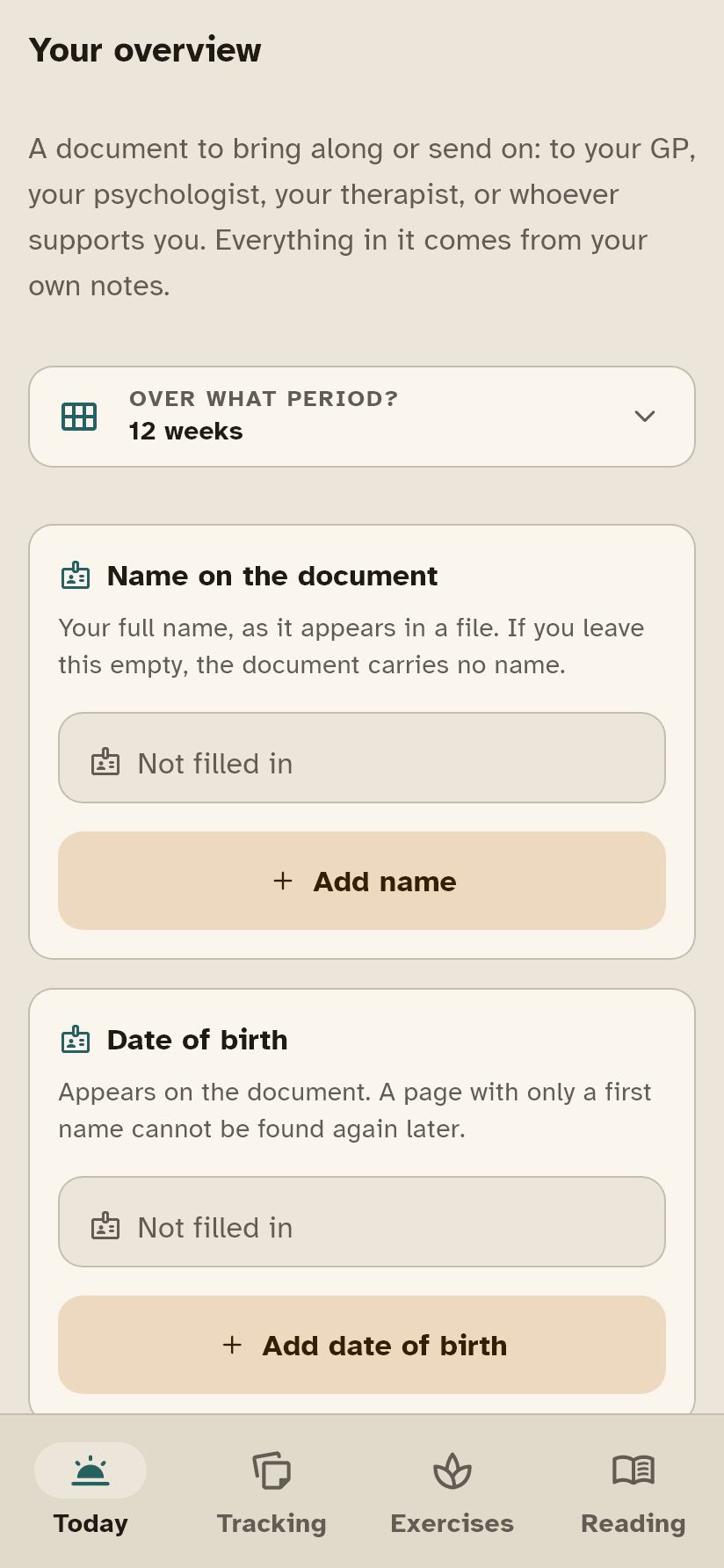
Your name and the period on every page, and at the top the sentence saying these are notes a person kept and not a measurement. That sentence is there so nobody has to argue about it.
- Page one, the whole pictureDays filled in, what changed since the previous period in plain sentences, and your core numbers: per item the days, the average and the highest. Then the questions you wrote down beforehand, with a dotted line for the answer.
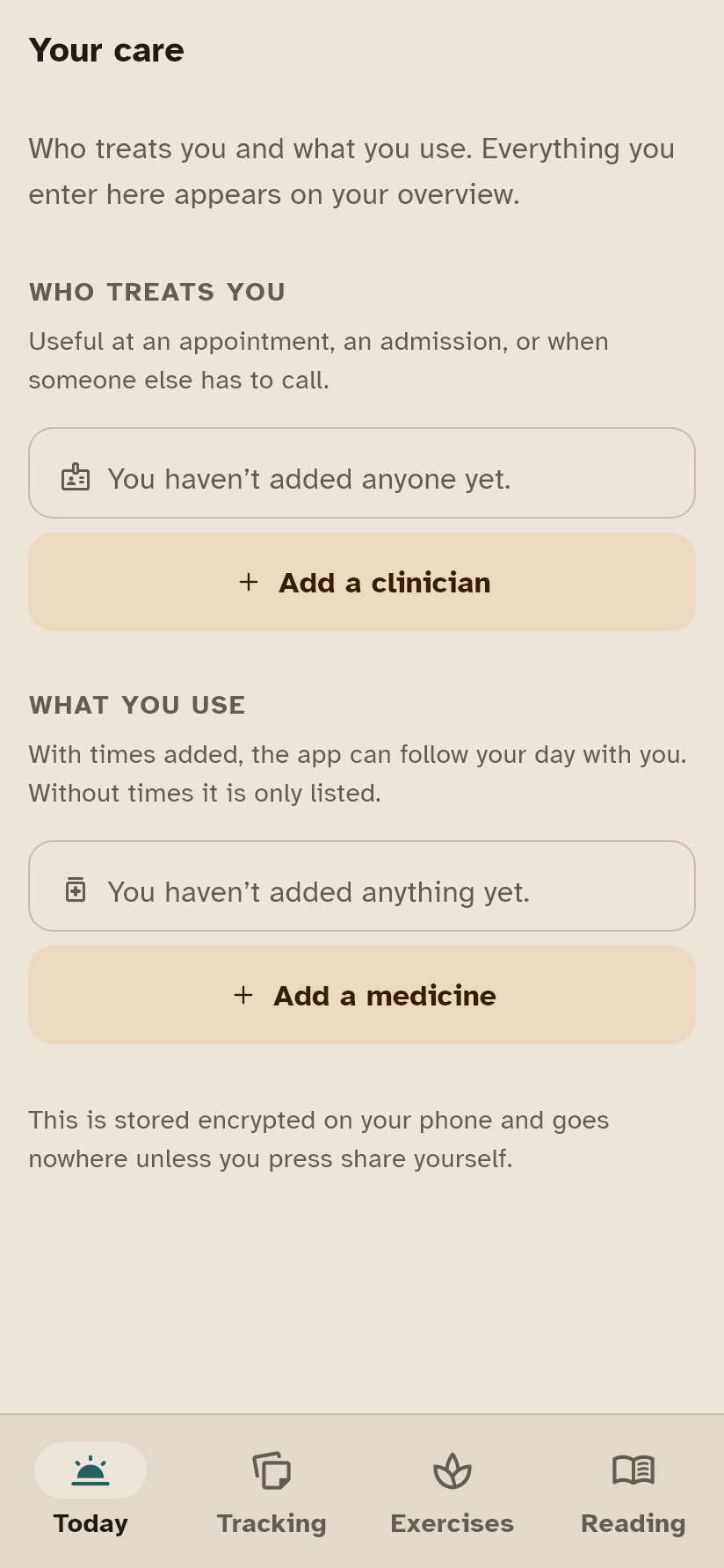
- Then, your medicationWhat you take and whether it was taken, what you took as needed, and what happened after a dose changed: the four weeks before next to the four weeks after.
- Further on, symptoms and energyWhere the symptoms sat on the body map, your energy per day or per week with the dates underneath, load against your budget, where the energy went, and your crashes with their delays.
- Nothing appears on it that you did not put thereA worked example is in the app, so you see it on day one. Print it, mail it, or hand over your phone.
Your companion
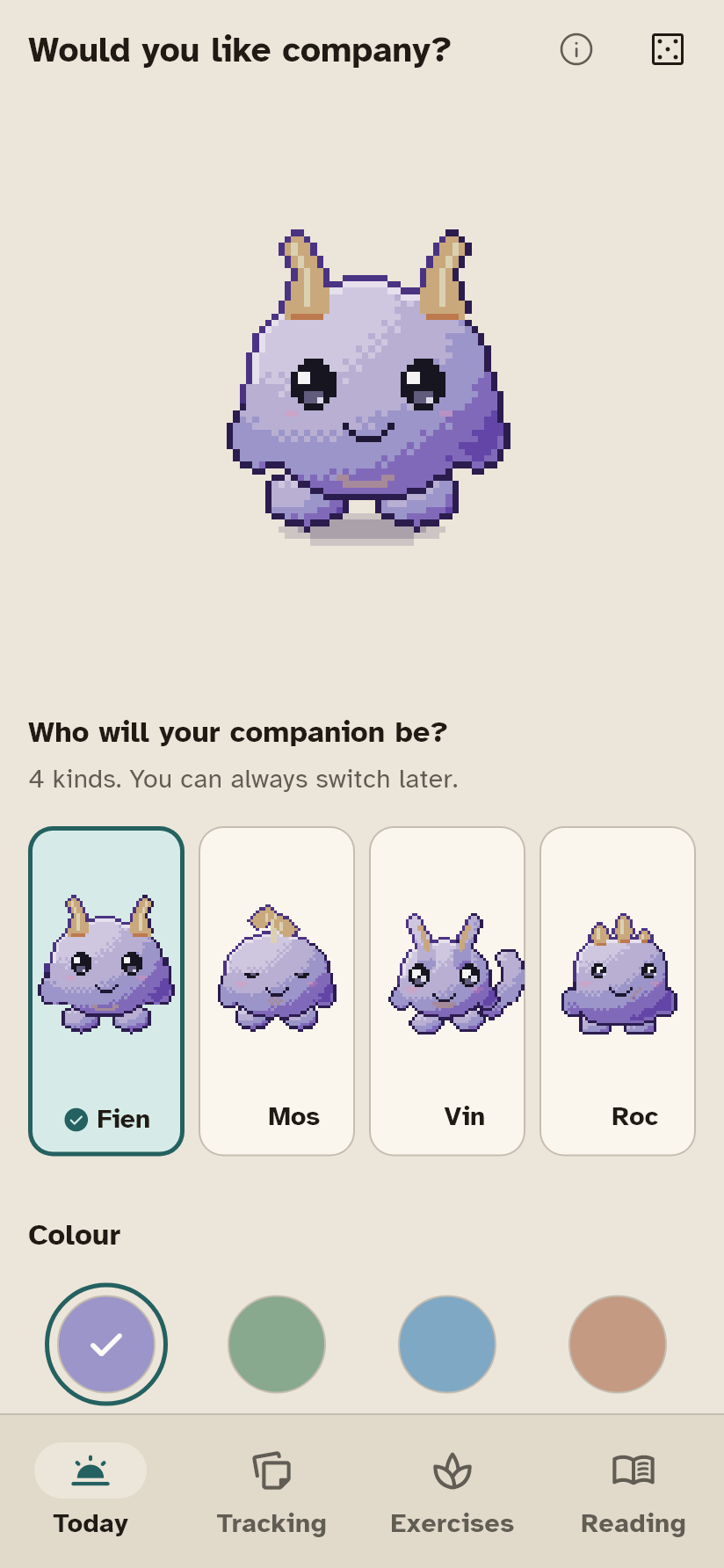
Four to choose from, and none at all is also a choice.
It breathes with you during an exercise, reacts when you finish something, sits with you while you rest, and falls asleep in the evening. It asks nothing of you.
- Four to choose fromFien, Mos, Roc and Vin. All four do exactly the same thing; you pick the one you would rather have sitting beside you.
- Give it a nameOr leave it called what it is called. What you choose is stored nowhere else and goes nowhere.
- It asks nothingNo daily question, no reminder, no streak. It says something now and then, and you never have to answer.
- Or turn it off entirelyThen the app works exactly the same. It is company, not a condition.
Built for the days you cannot
The accessibility is the product, not a settings page.
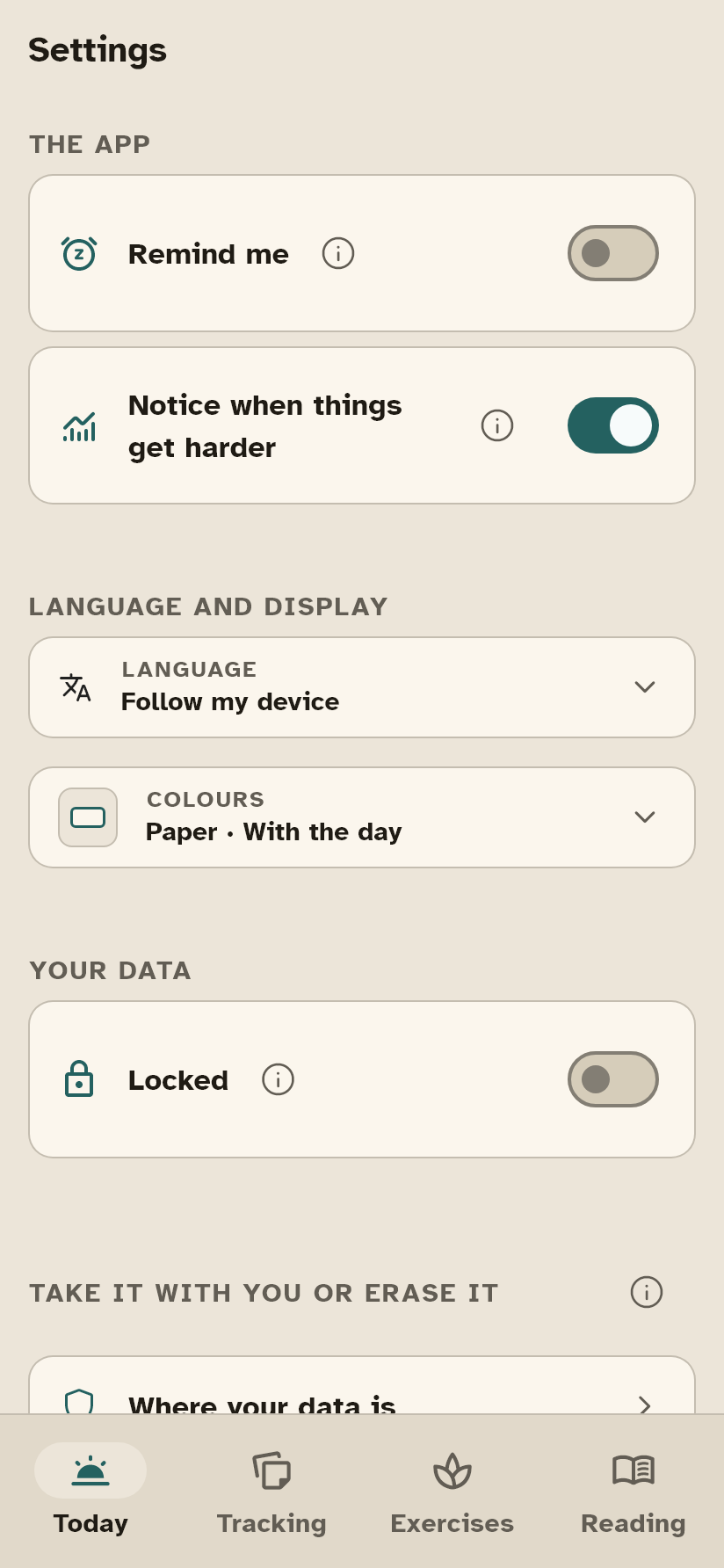
The app does not have the internet permission, so it cannot send anything. What you fill in is encrypted on your device, with a key that never leaves it, and there can be a lock on the app itself. Read the full privacy statement
- Large text, all the way upEvery screen is built for double text size on a small phone. Twenty-nine screens and the sheets that come up are redrawn on the smallest phone there is at every change; if anything runs past the edge, a test fails. Not “mostly works”: measured.
- Motion you can switch offIf your system setting says reduce motion, the app obeys it everywhere. With vestibular conditions and migraine that is not a nicety.
- Four themes and three languagesPaper, ink, chalk and night, or it follows your device, light or dark. Dutch, English and French, all three complete: every screen, every condition page and every exercise. And in all three it is measured that no sentence ends in three dots because it just did not fit.
 Curabrein







 Adjust
 Add something
 Showering2 points
 Lying down
 Mood
Mood Take a breath
 Journal
 Your document


 Fien
Fien Mos
Mos Roc
Roc Vin
Vin